Download Oracle Autonomous Database Cloud 2025 Professional.1Z0-931-25.Actual4Test.2026-04-24.142q.tqb
| Vendor: | Oracle |
| Exam Code: | 1Z0-931-25 |
| Exam Name: | Oracle Autonomous Database Cloud 2025 Professional |
| Date: | Apr 24, 2026 |
| File Size: | 762 KB |
How to open TQB files?
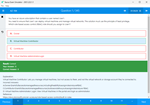
Files with TQB (Taurus Question Bank) extension can be opened by Taurus Exam Studio.
Purchase
Coupon: TAURUSSIM_20OFF
Discount: 20%
Demo Questions
Question 1
How can you keep Autonomous Database tables in sync with an on-premises data source?
- Use the ORDS package on the Data Load page
- Use the Cloud Locations card on the Data Load page
- Use the Link Data option on the Data Load page
- Use the FEED DATA option on the Data Load page
Correct answer: B
Explanation:
Keeping Autonomous Database tables synchronized with an on-premises data source involves loading and updating data from external locations. The Cloud Locations card on the Data Load page is the correct method:Correct Answer (B): The Cloud Locations card allows users to connect to Oracle Cloud Infrastructure (OCI) Object Storage buckets and load data into Autonomous Database tables. By regularly updating the data in Object Storage from the on-premises source (e.g., via scripts or tools), you can maintain synchronization using this feature. It supports automated data loading workflows when paired with appropriate processes.Incorrect Options:A: Oracle REST Data Services (ORDS) is used for building RESTful web services, not for direct data synchronization from on-premises sources to Autonomous Database tables.C: The Link Data option enables linking to external database tables (e.g., via database links), but it doesn't inherently synchronize data; it provides access rather than replication.D: There is no "FEED DATA" option on the Data Load page in Autonomous Database; this appears to be a fabricated choice.This method leverages OCI Object Storage as an intermediary, making it a practical solution for ongoing synchronization. Keeping Autonomous Database tables synchronized with an on-premises data source involves loading and updating data from external locations. The Cloud Locations card on the Data Load page is the correct method:
Correct Answer (B): The Cloud Locations card allows users to connect to Oracle Cloud Infrastructure (OCI) Object Storage buckets and load data into Autonomous Database tables. By regularly updating the data in Object Storage from the on-premises source (e.g., via scripts or tools), you can maintain synchronization using this feature. It supports automated data loading workflows when paired with appropriate processes.
Incorrect Options:
A: Oracle REST Data Services (ORDS) is used for building RESTful web services, not for direct data synchronization from on-premises sources to Autonomous Database tables.
C: The Link Data option enables linking to external database tables (e.g., via database links), but it doesn't inherently synchronize data; it provides access rather than replication.
D: There is no "FEED DATA" option on the Data Load page in Autonomous Database; this appears to be a fabricated choice.
This method leverages OCI Object Storage as an intermediary, making it a practical solution for ongoing synchronization.
Question 2
Which two actions can you perform with Autonomous Data Guard enabled on Autonomous Database on Shared Infrastructure? (Choose two.)
- View Apply Lag
- Reinstate
- Switchover
- Failover
- Change Protection Mode
Correct answer: C, D
Explanation:
Autonomous Data Guard on Shared Infrastructure enhances ADB availability with standby databases. The two correct actions are:Switchover (C): A switchover swaps roles between the primary and standby databases in a planned manner, with no data loss (RPO = 0). You initiate this via the OCI console (e.g., "Switchover" button on the primary ADB's Data Guard section) or API (e.g., oci db autonomous-database switchover). For example, before maintenance on the primary, you switch to the standby in another region (e.g., from us-ashburn-1 to us-phoenix-1), taking ~2 minutes (RTO ≈ 2 min). This ensures continuity without downtime, as the standby becomes primary seamlessly.Failover (D): A failover promotes the standby to primary during an unplanned outage (e.g., primary region failure), also with RPO = 0 due to synchronous replication. Trigger it via the OCI console (e.g., "Failover" on the standby) or API (e.g., oci db autonomous-database failover). For instance, if us-ashburn-1 crashes, the standby in us-phoenix-1 takes over in ~2 minutes, preserving all committed transactions. It's automatic in some cases (e.g., severe failure), but manual initiation is supported too.The incorrect options are:View Apply Lag (A): While relevant in traditional Data Guard (measuring replication delay), Autonomous Data Guard on shared ADB uses synchronous replication (zero lag), and apply lag isn't a user-actionable metric exposed in the UI-monitoring focuses on role status, not lag.Reinstate (B): Reinstatement (restoring a failed primary as a standby) isn't a user action in shared infrastructure. Oracle manages post-failover recovery, and users can't manually reinstate; a new standby might be provisioned instead.Change Protection Mode (E): Traditional Data Guard offers modes (e.g., Maximum Availability), but in Autonomous Data Guard on shared infrastructure, the mode is fixed (synchronous, akin to Maximum Availability), and users can't modify it-control is limited to switchover/failover.These actions ensure high availability with user-initiated role changes. Autonomous Data Guard on Shared Infrastructure enhances ADB availability with standby databases. The two correct actions are:
Switchover (C): A switchover swaps roles between the primary and standby databases in a planned manner, with no data loss (RPO = 0). You initiate this via the OCI console (e.g., "Switchover" button on the primary ADB's Data Guard section) or API (e.g., oci db autonomous-database switchover). For example, before maintenance on the primary, you switch to the standby in another region (e.g., from us-ashburn-1 to us-phoenix-1), taking ~2 minutes (RTO ≈ 2 min). This ensures continuity without downtime, as the standby becomes primary seamlessly.
Failover (D): A failover promotes the standby to primary during an unplanned outage (e.g., primary region failure), also with RPO = 0 due to synchronous replication. Trigger it via the OCI console (e.g., "Failover" on the standby) or API (e.g., oci db autonomous-database failover). For instance, if us-ashburn-1 crashes, the standby in us-phoenix-1 takes over in ~2 minutes, preserving all committed transactions. It's automatic in some cases (e.g., severe failure), but manual initiation is supported too.
The incorrect options are:
View Apply Lag (A): While relevant in traditional Data Guard (measuring replication delay), Autonomous Data Guard on shared ADB uses synchronous replication (zero lag), and apply lag isn't a user-actionable metric exposed in the UI-monitoring focuses on role status, not lag.
Reinstate (B): Reinstatement (restoring a failed primary as a standby) isn't a user action in shared infrastructure. Oracle manages post-failover recovery, and users can't manually reinstate; a new standby might be provisioned instead.
Change Protection Mode (E): Traditional Data Guard offers modes (e.g., Maximum Availability), but in Autonomous Data Guard on shared infrastructure, the mode is fixed (synchronous, akin to Maximum Availability), and users can't modify it-control is limited to switchover/failover.
These actions ensure high availability with user-initiated role changes.
Question 3
Which statement is true when you provision an Autonomous Database using the cloning method?
- A clone database source can be a running database instance.
- There is only one type of cloning option available in Autonomous Database.
- A clone database source can be from a point-in-time backup that is less than 2 hours old.
- You can clone a database in a security zone to create a database that isn't in a security zone.
Correct answer: A
Explanation:
Cloning in Autonomous Database creates a new instance from an existing source:Correct Answer (A): "A clone database source can be a running database instance" is true. You can clone from a live, running Autonomous Database instance (full clone), capturing its current state, including data and configuration, without needing to stop it.Incorrect Options:B: There are multiple cloning types: full clone (from a running instance) and refreshable clone (a read-only copy that syncs with the source), plus cloning from backups.C: Cloning from a backup requires the backup to be at least 2 hours old for consistency, not less, making this false.D: Security zone rules prevent cloning a database from a security zone to a non-security zone due to compliance restrictions.This flexibility supports rapid provisioning from active databases. Cloning in Autonomous Database creates a new instance from an existing source:
Correct Answer (A): "A clone database source can be a running database instance" is true. You can clone from a live, running Autonomous Database instance (full clone), capturing its current state, including data and configuration, without needing to stop it.
Incorrect Options:
B: There are multiple cloning types: full clone (from a running instance) and refreshable clone (a read-only copy that syncs with the source), plus cloning from backups.
C: Cloning from a backup requires the backup to be at least 2 hours old for consistency, not less, making this false.
D: Security zone rules prevent cloning a database from a security zone to a non-security zone due to compliance restrictions.
This flexibility supports rapid provisioning from active databases.
Question 4
Which management operation is correct about Autonomous Databases on Shared Exadata Infrastructure?
- You can skip a scheduled maintenance run. For Autonomous Database on Shared Exadata Infrastructure, you can skip maintenance runs for up to two consecutive quarters if needed
- You can perform a "rolling restart" on all the Autonomous Databases. During a rolling restart, each node on the Autonomous Database is restarted separately while the remaining nodes continue to be available
- You cannot configure the scheduling for your Autonomous Databases on Shared Exadata Infrastructure
- You can choose to use Release Update or Release Update Revision updates for your Autonomous Databases on Shared Infrastructure
Correct answer: C
Explanation:
Management operations for Autonomous Databases on Shared Exadata Infrastructure are limited due to its fully managed nature. The correct statement is:You cannot configure the scheduling for your Autonomous Databases on Shared Exadata Infrastructure (C): In shared infrastructure, Oracle fully controls maintenance scheduling (e.g., patching, upgrades). Unlike dedicated infrastructure, where users can set maintenance windows, shared ADB users cannot adjust timing. Oracle notifies users of upcoming maintenance (e.g., via email or console), typically in a 7-day window, but the exact schedule is Oracle-driven to optimize the shared Exadata platform. For example, a quarterly patch might occur on a Tuesday at 2 AM UTC, and users must adapt, not reschedule.The incorrect options are:You can skip a scheduled maintenance run... (A): False. Shared infrastructure does not allow skipping maintenance runs, even for two quarters. This flexibility exists only in dedicated infrastructure, where users have more control (e.g., skipping up to two consecutive updates). In shared mode, Oracle enforces updates for security and stability across all tenants.You can perform a "rolling restart"... (B): False. Rolling restarts (restarting nodes sequentially for availability) are not user-initiated in ADB shared infrastructure. Restarts, if needed, are managed by Oracle during maintenance, and users cannot control the process or ensure node-by-node availability.You can choose to use Release Update or Release Update Revision updates... (D): False. In shared infrastructure, Oracle applies Release Updates (RUs) uniformly across all databases; users cannot choose between RU or Release Update Revisions (RURs), a feature reserved for dedicated deployments.This reflects the trade-off of shared infrastructure: lower cost and management effort for less control. Management operations for Autonomous Databases on Shared Exadata Infrastructure are limited due to its fully managed nature. The correct statement is:
You cannot configure the scheduling for your Autonomous Databases on Shared Exadata Infrastructure (C): In shared infrastructure, Oracle fully controls maintenance scheduling (e.g., patching, upgrades). Unlike dedicated infrastructure, where users can set maintenance windows, shared ADB users cannot adjust timing. Oracle notifies users of upcoming maintenance (e.g., via email or console), typically in a 7-day window, but the exact schedule is Oracle-driven to optimize the shared Exadata platform. For example, a quarterly patch might occur on a Tuesday at 2 AM UTC, and users must adapt, not reschedule.
The incorrect options are:
You can skip a scheduled maintenance run... (A): False. Shared infrastructure does not allow skipping maintenance runs, even for two quarters. This flexibility exists only in dedicated infrastructure, where users have more control (e.g., skipping up to two consecutive updates). In shared mode, Oracle enforces updates for security and stability across all tenants.
You can perform a "rolling restart"... (B): False. Rolling restarts (restarting nodes sequentially for availability) are not user-initiated in ADB shared infrastructure. Restarts, if needed, are managed by Oracle during maintenance, and users cannot control the process or ensure node-by-node availability.
You can choose to use Release Update or Release Update Revision updates... (D): False. In shared infrastructure, Oracle applies Release Updates (RUs) uniformly across all databases; users cannot choose between RU or Release Update Revisions (RURs), a feature reserved for dedicated deployments.
This reflects the trade-off of shared infrastructure: lower cost and management effort for less control.
Question 5
Which native data type is used to store spatial information?
- SDO_GEOMETRY
- SDO_LOCATION
- SDO_RELATE
- GEO_JSON
Correct answer: A
Explanation:
Oracle Database supports spatial data with a dedicated data type:Correct Answer (A): SDO_GEOMETRY is the native data type for storing spatial information, such as points, lines, and polygons, in a structured format compatible with spatial queries and operations.Incorrect Options:B: SDO_LOCATION is not a valid data type; it may be a confusion with SDO_GEOMETRY.C: SDO_RELATE is a spatial operator for relationship analysis, not a storage type.D: GEO_JSON is a format for spatial data, not a native Oracle data type (though it can be parsed into SDO_GEOMETRY).This type enables advanced geospatial functionality. Oracle Database supports spatial data with a dedicated data type:
Correct Answer (A): SDO_GEOMETRY is the native data type for storing spatial information, such as points, lines, and polygons, in a structured format compatible with spatial queries and operations.
Incorrect Options:
B: SDO_LOCATION is not a valid data type; it may be a confusion with SDO_GEOMETRY.
C: SDO_RELATE is a spatial operator for relationship analysis, not a storage type.
D: GEO_JSON is a format for spatial data, not a native Oracle data type (though it can be parsed into SDO_GEOMETRY).
This type enables advanced geospatial functionality.
Question 6
When integrating object storage with Autonomous Database, how effectively does Oracle use the files in the object storage?
- Prune columns in parquet files
- Scan partition tables
- Scan hybrid partition tables
- Prune columns in CSV files
Correct answer: B
Explanation:
When Autonomous Database integrates with object storage (e.g., Oracle Cloud Infrastructure Object Storage), it optimizes data access. The correct answer is:Scan partition tables (B): Oracle leverages partition pruning when scanning tables stored in object storage. This means it only scans the relevant partitions based on query predicates, significantly reducing I/O and improving performance. This is particularly effective for partitioned tables stored in formats like Parquet or ORC, which support partitioning.The incorrect options are:Prune columns in parquet files (A): While column pruning is possible with columnar formats like Parquet, the primary optimization highlighted in Oracle's documentation for object storage integration is partition pruning, not column pruning alone.Scan hybrid partition tables (C): "Hybrid partition tables" is not a standard term in this context. Oracle supports external partitioned tables, but the focus is on scanning partitioned tables, not a hybrid-specific optimization.Prune columns in CSV files (D): CSV files are row-based and do not natively support column pruning, making this less effective compared to partition scanning.Partition pruning is a key optimization for external tables in object storage, enhancing query efficiency. When Autonomous Database integrates with object storage (e.g., Oracle Cloud Infrastructure Object Storage), it optimizes data access. The correct answer is:
Scan partition tables (B): Oracle leverages partition pruning when scanning tables stored in object storage. This means it only scans the relevant partitions based on query predicates, significantly reducing I/O and improving performance. This is particularly effective for partitioned tables stored in formats like Parquet or ORC, which support partitioning.
The incorrect options are:
Prune columns in parquet files (A): While column pruning is possible with columnar formats like Parquet, the primary optimization highlighted in Oracle's documentation for object storage integration is partition pruning, not column pruning alone.
Scan hybrid partition tables (C): "Hybrid partition tables" is not a standard term in this context. Oracle supports external partitioned tables, but the focus is on scanning partitioned tables, not a hybrid-specific optimization.
Prune columns in CSV files (D): CSV files are row-based and do not natively support column pruning, making this less effective compared to partition scanning.
Partition pruning is a key optimization for external tables in object storage, enhancing query efficiency.
Question 7
You are the admin user of an Autonomous Database (ADB) instance. A new business analyst has joined the team and would like to explore ADB tables using SQL Developer Web. What steps do you need to take?
- Create a database user with connect, resource, and object privileges
- Create a database user with the default privileges
- Create a database user (with connect, resource, object privileges), enable the schema to use SQL Developer Web, and provide the user with the user-specific modified URL
- Create an IDCS user, create a database user with connect, resource, and object privileges
Correct answer: C
Explanation:
Enabling a new business analyst to use SQL Developer Web with Autonomous Database requires specific steps. The correct answer is:Create a database user (with connect, resource, object privileges), enable the schema to use SQL Developer Web, and provide the user with the user-specific modified URL (C):Create a database user: As the ADMIN user, create a new database user (e.g., ANALYST1) with CONNECT (to log in), RESOURCE (to create objects), and object-specific privileges (e.g., SELECT on target tables). Example: CREATE USER ANALYST1 IDENTIFIED BY "password"; GRANT CONNECT, RESOURCE TO ANALYST1; GRANT SELECT ON HR.EMPLOYEES TO ANALYST1;. This ensures the analyst can access and query tables.Enable the schema for SQL Developer Web: Use the ORDS_ADMIN.ENABLE_SCHEMA procedure to activate the schema for web access. Example: EXEC ORDS_ADMIN.ENABLE_SCHEMA(p_schema => 'ANALYST1');. This step integrates the user with Oracle REST Data Services (ORDS), which powers SQL Developer Web in ADB.Provide the user-specific URL: After enabling the schema, generate and share the SQL Developer Web URL, which includes the user's credentials (e.g., https:///ords/analyst1/_sdw). The analyst logs in with their database username and password, accessing a browser-based SQL interface to explore tables.The incorrect options are:Create a database user with connect, resource, and object privileges (A): This alone isn't enough; without enabling the schema for SQL Developer Web, the user can't access it via the web interface.Create a database user with the default privileges (B): Default privileges (e.g., just CONNECT) are insufficient for table access or web use; specific grants and ORDS setup are needed.Create an IDCS user, create a database user with connect, resource, and object privileges (D): Oracle Identity Cloud Service (IDCS) integration is optional and not required for basic SQL Developer Web access in ADB. It's overkill unless SSO is mandated, which isn't specified here.This multi-step process ensures secure, web-based access tailored to the analyst's needs. Enabling a new business analyst to use SQL Developer Web with Autonomous Database requires specific steps. The correct answer is:
Create a database user (with connect, resource, object privileges), enable the schema to use SQL Developer Web, and provide the user with the user-specific modified URL (C):
Create a database user: As the ADMIN user, create a new database user (e.g., ANALYST1) with CONNECT (to log in), RESOURCE (to create objects), and object-specific privileges (e.g., SELECT on target tables). Example: CREATE USER ANALYST1 IDENTIFIED BY "password"; GRANT CONNECT, RESOURCE TO ANALYST1; GRANT SELECT ON HR.EMPLOYEES TO ANALYST1;. This ensures the analyst can access and query tables.
Enable the schema for SQL Developer Web: Use the ORDS_ADMIN.ENABLE_SCHEMA procedure to activate the schema for web access. Example: EXEC ORDS_ADMIN.ENABLE_SCHEMA(p_schema => 'ANALYST1');. This step integrates the user with Oracle REST Data Services (ORDS), which powers SQL Developer Web in ADB.
Provide the user-specific URL: After enabling the schema, generate and share the SQL Developer Web URL, which includes the user's credentials (e.g., https:///ords/analyst1/_sdw). The analyst logs in with their database username and password, accessing a browser-based SQL interface to explore tables.
The incorrect options are:
Create a database user with connect, resource, and object privileges (A): This alone isn't enough; without enabling the schema for SQL Developer Web, the user can't access it via the web interface.
Create a database user with the default privileges (B): Default privileges (e.g., just CONNECT) are insufficient for table access or web use; specific grants and ORDS setup are needed.
Create an IDCS user, create a database user with connect, resource, and object privileges (D): Oracle Identity Cloud Service (IDCS) integration is optional and not required for basic SQL Developer Web access in ADB. It's overkill unless SSO is mandated, which isn't specified here.
This multi-step process ensures secure, web-based access tailored to the analyst's needs.
Question 8
In which four ways can Oracle Database optimally access data in Object Storage? (Choose four.)
- Scan avoidance using partitioned external tables
- Scan avoidance using columnar pruning for .csv files
- Scan avoidance using block skipping when reading parquet and orc files
- Scan avoidance using columnar pruning for columnar stores like parquet and orc
- Optimized data archive using hybrid partitioned tables
- Optimized data archive using partitioned external tables
Correct answer: A, D, E, F
Explanation:
Oracle Database provides several techniques to optimize data access from Object Storage, particularly in the context of Autonomous Database, leveraging external tables and advanced storage formats. The question asks for four correct methods, and based on Oracle documentation, the following are the most applicable:Correct Answer (A): Scan avoidance using partitioned external tablesPartitioned external tables allow Oracle Database to skip irrelevant partitions when querying data stored in Object Storage. By organizing data into partitions (e.g., by date or region), the database engine can prune partitions that don't match the query predicates, significantly reducing the amount of data scanned and improving performance. This is a well-documented optimization for external data access in Oracle Database and Autonomous Database environments.Correct Answer (D): Scan avoidance using columnar pruning for columnar stores like parquet and orc Columnar pruning is a technique where only the required columns are read from columnar file formats such as Parquet or ORC stored in Object Storage. These formats store data column-wise, enabling the database to avoid scanning entire rows or irrelevant columns, which is particularly efficient for analytical queries common in Autonomous Data Warehouse (ADW). This is a standard optimization supported by Oracle's external table framework when accessing Object Storage.Correct Answer (E): Optimized data archive using hybrid partitioned tables Hybrid partitioned tables combine local database partitions with external partitions stored in Object Storage. This allows older, less frequently accessed data to be archived efficiently in the cloud while remaining queryable alongside active data in the database. The database optimizes access by seamlessly integrating these partitions, reducing costs and improving archival efficiency. This feature is explicitly supported in Oracle Database and enhanced in Autonomous Database for data lifecycle management.Correct Answer (F): Optimized data archive using partitioned external tables Similar to hybrid partitioned tables, using partitioned external tables alone optimizes data archiving by storing historical data in Object Storage with partitioning (e.g., by year). This method enables efficient querying of archived data by pruning unneeded partitions, offering a cost-effective and scalable archival solution. It's a distinct approach from hybrid tables, focusing solely on external storage, and is widely used in Oracle environments.Incorrect Options:B . Scan avoidance using columnar pruning for .csv filesCSV files are row-based, not columnar, and lack the internal structure of formats like Parquet or ORC. While Oracle can read CSVs from Object Storage via external tables, columnar pruning is not applicable because CSVs don't support column-wise storage or metadata for pruning. This makes this option incorrect as a specific optimization technique, though basic predicate pushdown might still reduce scanning to some extent.C . Scan avoidance using block skipping when reading parquet and orc files Block skipping (or row group skipping) is a feature in some database systems where metadata in Parquet or ORC files allows skipping entire blocks of data based on query filters. While Oracle supports Parquet and ORC through external tables and can leverage their columnar nature (via pruning), "block skipping" is not explicitly highlighted as a primary optimization in Oracle's documentation for Autonomous Database. It's more commonly associated with systems like Apache Spark or Hive. Oracle's focus is on columnar pruning and partitioning, making this option less accurate in this context.Why Four Answers?The question specifies "four ways," and while six options are provided, A, D, E, and F are the most directly supported and documented methods in Oracle Autonomous Database for optimizing Object Storage access. Options B and C, while conceptually related to data access optimizations, are either inapplicable (CSV lacks columnar structure) or not explicitly emphasized (block skipping) in Oracle's feature set for this purpose.This selection aligns with Oracle's focus on partitioning and columnar formats for efficient cloud data access, ensuring both performance and archival optimization.Reference:External Tables and Object StorageHybrid Partitioned TablesAutonomous Database Data Loading Oracle Database provides several techniques to optimize data access from Object Storage, particularly in the context of Autonomous Database, leveraging external tables and advanced storage formats. The question asks for four correct methods, and based on Oracle documentation, the following are the most applicable:
Correct Answer (A): Scan avoidance using partitioned external tables
Partitioned external tables allow Oracle Database to skip irrelevant partitions when querying data stored in Object Storage. By organizing data into partitions (e.g., by date or region), the database engine can prune partitions that don't match the query predicates, significantly reducing the amount of data scanned and improving performance. This is a well-documented optimization for external data access in Oracle Database and Autonomous Database environments.
Correct Answer (D): Scan avoidance using columnar pruning for columnar stores like parquet and orc Columnar pruning is a technique where only the required columns are read from columnar file formats such as Parquet or ORC stored in Object Storage. These formats store data column-wise, enabling the database to avoid scanning entire rows or irrelevant columns, which is particularly efficient for analytical queries common in Autonomous Data Warehouse (ADW). This is a standard optimization supported by Oracle's external table framework when accessing Object Storage.
Correct Answer (E): Optimized data archive using hybrid partitioned tables Hybrid partitioned tables combine local database partitions with external partitions stored in Object Storage. This allows older, less frequently accessed data to be archived efficiently in the cloud while remaining queryable alongside active data in the database. The database optimizes access by seamlessly integrating these partitions, reducing costs and improving archival efficiency. This feature is explicitly supported in Oracle Database and enhanced in Autonomous Database for data lifecycle management.
Correct Answer (F): Optimized data archive using partitioned external tables Similar to hybrid partitioned tables, using partitioned external tables alone optimizes data archiving by storing historical data in Object Storage with partitioning (e.g., by year). This method enables efficient querying of archived data by pruning unneeded partitions, offering a cost-effective and scalable archival solution. It's a distinct approach from hybrid tables, focusing solely on external storage, and is widely used in Oracle environments.
Incorrect Options:
B . Scan avoidance using columnar pruning for .csv files
CSV files are row-based, not columnar, and lack the internal structure of formats like Parquet or ORC. While Oracle can read CSVs from Object Storage via external tables, columnar pruning is not applicable because CSVs don't support column-wise storage or metadata for pruning. This makes this option incorrect as a specific optimization technique, though basic predicate pushdown might still reduce scanning to some extent.
C . Scan avoidance using block skipping when reading parquet and orc files Block skipping (or row group skipping) is a feature in some database systems where metadata in Parquet or ORC files allows skipping entire blocks of data based on query filters. While Oracle supports Parquet and ORC through external tables and can leverage their columnar nature (via pruning), "block skipping" is not explicitly highlighted as a primary optimization in Oracle's documentation for Autonomous Database. It's more commonly associated with systems like Apache Spark or Hive. Oracle's focus is on columnar pruning and partitioning, making this option less accurate in this context.
Why Four Answers?
The question specifies "four ways," and while six options are provided, A, D, E, and F are the most directly supported and documented methods in Oracle Autonomous Database for optimizing Object Storage access. Options B and C, while conceptually related to data access optimizations, are either inapplicable (CSV lacks columnar structure) or not explicitly emphasized (block skipping) in Oracle's feature set for this purpose.
This selection aligns with Oracle's focus on partitioning and columnar formats for efficient cloud data access, ensuring both performance and archival optimization.
Reference:
External Tables and Object Storage
Hybrid Partitioned Tables
Autonomous Database Data Loading
Question 9
Which statement is correct about the Service Console in an Autonomous Database?
- You can use the Service Console to enable or disable auto-scaling of Autonomous DB.
- You can use the Service Console to manage runaway SQL statements on Autonomous DB.
- You can use the Service Console to move Autonomous DB between compartments.
- You can use the Service Console to create manual backups of Autonomous Database.
Correct answer: B
Explanation:
Full Detailed In-Depth Explanation:The Service Console in Autonomous Database is for database-level management:A: False. Auto-scaling is managed via OCI console.B: True. It allows monitoring and terminating runaway SQL statements.C: False. Compartment moves are OCI console tasks.D: False. Manual backups are initiated via OCI or SQL*Plus. Full Detailed In-Depth Explanation:
The Service Console in Autonomous Database is for database-level management:
A: False. Auto-scaling is managed via OCI console.
B: True. It allows monitoring and terminating runaway SQL statements.
C: False. Compartment moves are OCI console tasks.
D: False. Manual backups are initiated via OCI or SQL*Plus.
Question 10
What REST verb is used to create an Autonomous Database service using REST APIs?
- A "POST" REST call
- A "GET" REST call
- A "PUT" REST call
- An "INSERT" REST call
Correct answer: A
Explanation:
Full Detailed In-Depth Explanation:REST APIs use HTTP verbs:A: True. POST creates new resources, such as an Autonomous Database instance.B: False. GET retrieves data, not creates.C: False. PUT updates existing resources.D: False. INSERT is not a REST verb; it's SQL-specific. Full Detailed In-Depth Explanation:
REST APIs use HTTP verbs:
A: True. POST creates new resources, such as an Autonomous Database instance.
B: False. GET retrieves data, not creates.
C: False. PUT updates existing resources.
D: False. INSERT is not a REST verb; it's SQL-specific.
HOW TO OPEN VCE FILES
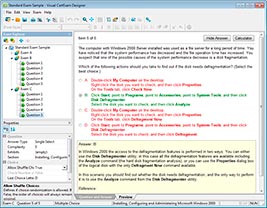
Use VCE Exam Simulator to open VCE files
HOW TO OPEN VCEX FILES
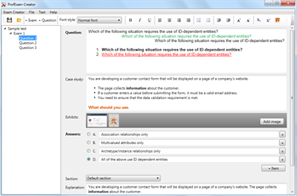
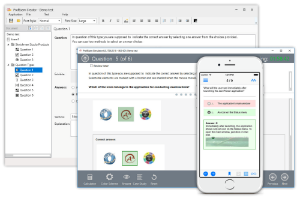
Use ProfExam Simulator to open VCEX files
ProfExam at a 20% markdown
You have the opportunity to purchase ProfExam at a 20% reduced price
Get Now!