Download NSE 6-FortiSOAR 7.3 Administrator.NSE6_FSR-7.3.PassLeader.2025-10-31.15q.vcex
| Vendor: | Fortinet |
| Exam Code: | NSE6_FSR-7.3 |
| Exam Name: | NSE 6-FortiSOAR 7.3 Administrator |
| Date: | Oct 31, 2025 |
| File Size: | 15 KB |
How to open VCEX files?
Files with VCEX extension can be opened by ProfExam Simulator.
Purchase
Coupon: TAURUSSIM_20OFF
Discount: 20%
Demo Questions
Question 1
Which service on FortiSOAR is the playbook scheduler?
- cyops-torccat
- colcrybeatd
- celeryd
- uwsgi
Correct answer: B
Explanation:
In FortiSOAR, the service responsible for the playbook scheduling functionality is colcrybeatd. This service manages the timing and execution of scheduled playbooks, allowing for the automation of various tasks at specified intervals. It ensures that playbooks execute according to their configured schedules, which can include tasks such as data ingestion, threat detection, or incident response actions. Proper functioning of this service is essential for the reliable automation of time-dependent processes within FortiSOAR. In FortiSOAR, the service responsible for the playbook scheduling functionality is colcrybeatd. This service manages the timing and execution of scheduled playbooks, allowing for the automation of various tasks at specified intervals. It ensures that playbooks execute according to their configured schedules, which can include tasks such as data ingestion, threat detection, or incident response actions. Proper functioning of this service is essential for the reliable automation of time-dependent processes within FortiSOAR.
Question 2
A security analyst has reported unauthorized access to System Configuration. You must review the user’s current level of access, and then restrict their access according to your organization’s requirements. As part of your auditing process, which two actions should you perform? (Choose two.)
- Remove the create, read, update, and delete (CRUD) permissions or roles that the user does not require.
- View the user’s effective role permissions, and then investigate which role is providing that access.
- Remove all record ownership that is assigned to the user.
- Review the user’s learn hierarchy to ensure that the appropriate relationships are configured.
Correct answer: BD
Explanation:
To audit and restrict a user’s access within FortiSOAR, particularly in response to unauthorized access reports, it’s necessary to review the user’s effective role permissions. This involves checking which roles grant the user access to the System Configuration module and adjusting as needed. Additionally, reviewing the user’s team hierarchy ensures that the user’s access aligns with the organization’s policies. Misconfigurations in team relationships can sometimes inadvertently provide elevated access; hence, confirming that the team setup is correct is a critical part of the auditing process. To audit and restrict a user’s access within FortiSOAR, particularly in response to unauthorized access reports, it’s necessary to review the user’s effective role permissions. This involves checking which roles grant the user access to the System Configuration module and adjusting as needed. Additionally, reviewing the user’s team hierarchy ensures that the user’s access aligns with the organization’s policies. Misconfigurations in team relationships can sometimes inadvertently provide elevated access; hence, confirming that the team setup is correct is a critical part of the auditing process.
Question 3
When deleting a user account on FortiSOAR, you must enter the user ID in which file on FortiSOAR?
- userDelete.txt
- config_yml
- scripts
- usersToDelete.txt
Correct answer: D
Explanation:
When deleting a user account in FortiSOAR, the user ID must be entered into the usersToDelete.txt file. This file is specifically used to list users that are marked for deletion. Once the user IDs are listed in this file, the system can process the deletion of these accounts as part of its user management operations. This method ensures that only specified users are deleted, as referenced in FortiSOAR’s administrative controls. When deleting a user account in FortiSOAR, the user ID must be entered into the usersToDelete.txt file. This file is specifically used to list users that are marked for deletion. Once the user IDs are listed in this file, the system can process the deletion of these accounts as part of its user management operations. This method ensures that only specified users are deleted, as referenced in FortiSOAR’s administrative controls.
Question 4
Which two statements about upgrading a FortiSOAR HA cluster are true? (Choose two.)
- Nodes can be upgraded while the primary node or secondary node are in the HA cluster.
- Upgrading a FortiSOAR HA cluster requires no downtime.
- The upgrade procedure for an active-active cluster and an active-passive cluster are the same.
- It is recommended that the passive secondary node be upgraded first, and then the active primary node.
Correct answer: CD
Explanation:
Upgrading a FortiSOAR HA cluster follows the same procedure regardless of whether it is configured in an active-active or active-passive setup. The process generally involves upgrading one node at a time to minimize service disruption. Best practices recommend upgrading the passive secondary node first before moving to the active primary node. This sequence helps maintain cluster stability and ensures that at least one node remains operational during the upgrade. Upgrading a FortiSOAR HA cluster follows the same procedure regardless of whether it is configured in an active-active or active-passive setup. The process generally involves upgrading one node at a time to minimize service disruption. Best practices recommend upgrading the passive secondary node first before moving to the active primary node. This sequence helps maintain cluster stability and ensures that at least one node remains operational during the upgrade.
Question 5
Which three actions can be performed from within the war room? (Choose three.)
- View graphical representation of all records linked to an incident in the Artifacts lab.
- Change the room’s status to Escalated to enforce hourly updates.
- Investigate issues by tagging results as evidence.
- Use the Task Manager tab to create, manage, assign, and track tasks.
- Integrate a third-party instant messenger directly into the collaboration workspace.
Correct answer: ACD
Explanation:
In FortiSOAR’s War Room, users can perform several actions to manage incidents effectively. They can view a graphical representation of records linked to an incident in the Artifacts lab, which helps visualize connections and dependencies. Additionally, the War Room supports tagging investigation results as evidence, allowing for a structured approach to incident documentation. Users can also manage tasks via the Task Manager tab, facilitating task creation, assignment, and tracking within the incident response workflow. In FortiSOAR’s War Room, users can perform several actions to manage incidents effectively. They can view a graphical representation of records linked to an incident in the Artifacts lab, which helps visualize connections and dependencies. Additionally, the War Room supports tagging investigation results as evidence, allowing for a structured approach to incident documentation. Users can also manage tasks via the Task Manager tab, facilitating task creation, assignment, and tracking within the incident response workflow.
Question 6
Which two statements about appliance users are true? (Choose two.)
- Appliance users do not have a login ID and do not add to the license count.
- Appliance users represent non-human users.
- Appliance users use two-factor authentication for messages sent to the API.
- Appliance users use time-expiring tokens for primary authentication.
Correct answer: AB
Explanation:
In FortiSOAR, appliance users are accounts that represent non-human entities, such as system processes or integrations. These users do not require login IDs and therefore do not contribute to the licensing user count. Appliance users are configured for backend tasks or to interact with external systems, enabling automated processes without consuming standard user licenses. This approach optimizes system resources and keeps licensing costs manageable. In FortiSOAR, appliance users are accounts that represent non-human entities, such as system processes or integrations. These users do not require login IDs and therefore do not contribute to the licensing user count. Appliance users are configured for backend tasks or to interact with external systems, enabling automated processes without consuming standard user licenses. This approach optimizes system resources and keeps licensing costs manageable.
Question 7
Which two statements about Elasticsearch are true? (Choose two.)
- Elasticsearch allows you to store, search, and analyze huge volumes of data quickly. In near real time, and return answers in milliseconds.
- To change the location of your Elasticsearch instance from the local instance to a remote location, you must update the falcon.conf file.
- The minimum version of the Elasticsearch cluster must be 6.0.2 if you want to externalize the Elasticsearch data.
- The global search mechanism in FortiSOAR leverages an Elasticsearch database to achieve rapid, efficient searches across the entire record system.
Correct answer: AD
Explanation:
Elasticsearch in FortiSOAR is used for its robust data handling capabilities, allowing rapid storage, searching, and analysis of vast amounts of data in near real-time. Its integration with FortiSOAR’s global search enables efficient querying across all records, providing quick response times and a seamless user experience. The Elasticsearch database is crucial for handling extensive datasets and delivering swift search results, making it integral to FortiSOAR’s performance and data management capabilities. Elasticsearch in FortiSOAR is used for its robust data handling capabilities, allowing rapid storage, searching, and analysis of vast amounts of data in near real-time. Its integration with FortiSOAR’s global search enables efficient querying across all records, providing quick response times and a seamless user experience. The Elasticsearch database is crucial for handling extensive datasets and delivering swift search results, making it integral to FortiSOAR’s performance and data management capabilities.
Question 8
An administrator wants to collect and review all FortiSOAR log tiles to troubleshoot an issue. Which two methods can they use to accomplish this? (Choose two.)
- Enter the csacta services –status command, and then copy the output.
- Download the logs from the GUI.
- Enter the csacta log –collect directory command.
- Review the contents of /var/log/messages.
Correct answer: BC
Explanation:
Administrators can collect and review FortiSOAR logs for troubleshooting in two primary ways. First, they can download logs directly from the GUI, which provides access to various logs through an intuitive interface. Secondly, using the command-line interface, the csacta log –collect command can be used to gather all logs within a specified directory, enabling more detailed offline analysis. Both methods offer comprehensive log collection to aid in diagnosing and resolving issues. Administrators can collect and review FortiSOAR logs for troubleshooting in two primary ways. First, they can download logs directly from the GUI, which provides access to various logs through an intuitive interface. Secondly, using the command-line interface, the csacta log –collect command can be used to gather all logs within a specified directory, enabling more detailed offline analysis. Both methods offer comprehensive log collection to aid in diagnosing and resolving issues.
Question 9
Which three activities can be achieved using the FortiSOAR queue and shift management feature? (Choose three.)
- Initiate shift handovers.
- Designate a coordinator to monitor queues and shifts.
- Generate shift leads and shift members.
- Set up queue meeting rooms.
- Create queue rules based on matching conditions.
Correct answer: ACE
Explanation:
The FortiSOAR queue and shift management feature enables several key activities for managing shifts and queues. Administrators can initiate shift handovers, allowing for smooth transitions between shift leads and members. They can also designate specific roles within shifts, including shift leads and members, to define responsibilities. Additionally, queue rules can be established based on certain conditions, ensuring that incidents and tasks are assigned according to predefined criteria, which helps streamline operations and improve response times. The FortiSOAR queue and shift management feature enables several key activities for managing shifts and queues. Administrators can initiate shift handovers, allowing for smooth transitions between shift leads and members. They can also designate specific roles within shifts, including shift leads and members, to define responsibilities. Additionally, queue rules can be established based on certain conditions, ensuring that incidents and tasks are assigned according to predefined criteria, which helps streamline operations and improve response times.
Question 10
Which two ports must be open between FortiSOAR HA nodes? (Choose two.)
- Port 5432
- Port 25
- Port 6380
- Port 9200
Correct answer: AD
Explanation:
In a FortiSOAR HA configuration, certain ports must be open for communication between nodes. Port 5432 is required for PostgreSQL database communication, which is essential for data replication between HA nodes. Port 9200 is used by Elasticsearch, which FortiSOAR leverages for indexing and search functions across the nodes. These ports must be accessible between nodes to ensure seamless operation and data consistency within the cluster. In a FortiSOAR HA configuration, certain ports must be open for communication between nodes. Port 5432 is required for PostgreSQL database communication, which is essential for data replication between HA nodes. Port 9200 is used by Elasticsearch, which FortiSOAR leverages for indexing and search functions across the nodes. These ports must be accessible between nodes to ensure seamless operation and data consistency within the cluster.
Question 11
Which two statements about FortiSOAR virtual instance deployment requirements are true? (Choose two.)
- FortiSOAR Cloud is a subscription service that allows you to deploy an instance hosted on FortlCloud.
- There are size limits for the records database, but no charges or fees for storing months or years worth of data.
- FortiSOAR is supported on VMWare ESXi and Amazon Web Services (AWS).
- While memory and storage can be added based on requirements, charges are required for every vCPU that is added to the FortiSOAR VM.
Correct answer: AC
Explanation:
FortiSOAR offers flexibility in deployment environments, including FortiSOAR Cloud, which is a subscription service that enables hosting on FortiCloud. This provides cloud-hosted management with scalable resources. Additionally, FortiSOAR supports deployment on VMware ESXi and Amazon Web Services (AWS), allowing organizations to choose based on their infrastructure preferences. This flexibility ensures that FortiSOAR can be integrated into various IT environments depending on business needs. FortiSOAR offers flexibility in deployment environments, including FortiSOAR Cloud, which is a subscription service that enables hosting on FortiCloud. This provides cloud-hosted management with scalable resources. Additionally, FortiSOAR supports deployment on VMware ESXi and Amazon Web Services (AWS), allowing organizations to choose based on their infrastructure preferences. This flexibility ensures that FortiSOAR can be integrated into various IT environments depending on business needs.
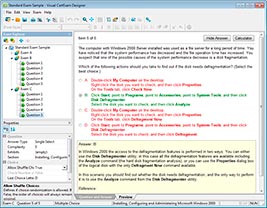
HOW TO OPEN VCE FILES
Use VCE Exam Simulator to open VCE files
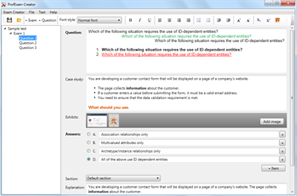
HOW TO OPEN VCEX FILES
Use ProfExam Simulator to open VCEX files
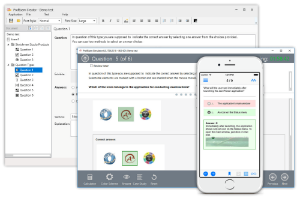
ProfExam at a 20% markdown
You have the opportunity to purchase ProfExam at a 20% reduced price
Get Now!